


Your forensic checkout audit starts here.
Everything you need before you install. Read it, then hit install.


PDQ is used by the best


























What we see - and what we don't.
When you install the PDQ app, we connect to your Shopify store in read-only mode. We pull 60 days of historical order and checkout data. Nothing changes in production.
We sign an MNDA before we access anything. All data pulled for the audit is flushed after your report is delivered, unless you proceed to a paid engagement — in which case it becomes the foundation of your test roadmap.





Ready to install?
Takes under 5 minutes. No store changes.
Before you install
Your account executive

Senior AE · Checkout Strategy
Questions? Caleb is on Slack or email, usually within a few hours.
The paperwork, plainly stated.
We process your data under a mutual NDA and standard DPA, no hidden data-sharing clauses, no rights to use your data for benchmarking without consent, no retention after engagement ends.
Send your legal team the DPA first. We can turn around custom NDAs from enterprise brands within 48 hours.

Mutual Non-Disclosure Agreement (MNDA)
Data Processing Agreement (DPA)

Privacy Policy

Shopify App Permission Scope
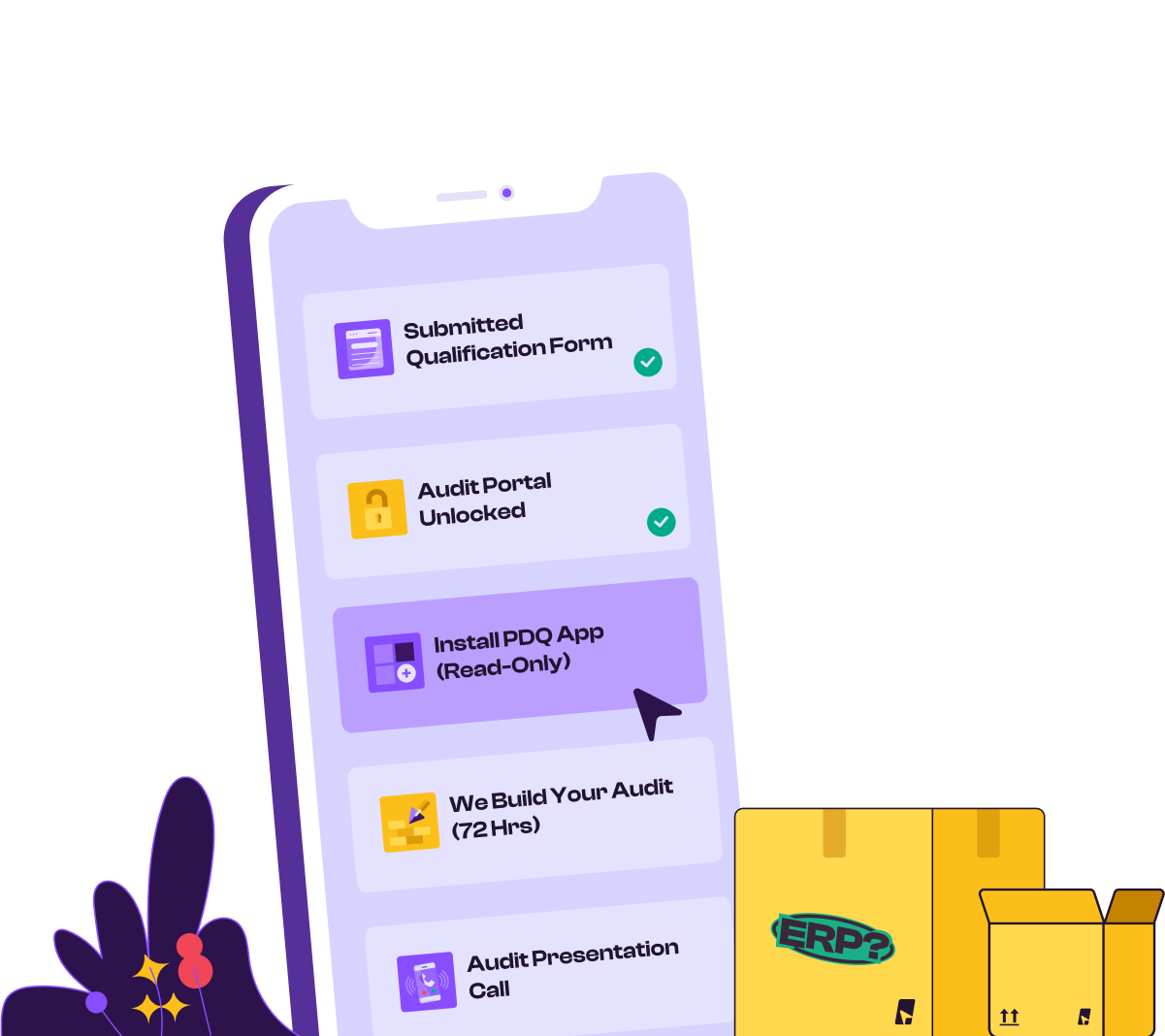
Step by step, from install to insight.
Here's exactly what to expect at each stage.
Today
Install the PDQ App

Download from the Shopify App Store. Grant read-only permissions — the prompt will show you exactly what's being requested. Nothing in your store changes. Your checkout, theme, and customer experience remain untouched.
Day 1
We pull your last 60 days of data
Our system reads your historical order and checkout data. Your revenue analyst will confirm the data looks complete and flag anything they need to clarify — usually a quick Slack message.
Automated · No action needed
Day 2-3
We build your audit
Your dedicated revenue analyst goes through the data segment by segment. We benchmark your abandonment rate, segment your customers, analyze your delivery promise gaps, and model your free shipping threshold. This is not a template — every slide is built from your numbers.
Done by our team · No action needed
Day 4-5
Audit presentation call
Your AE walks you through the full findings. You'll see your checkout abandonment benchmarked, your segment-level conversion breakdown, your delivery promise analysis, and a prioritized test roadmap with projected uplift per test. We'll share the deck afterward regardless of what you decide to do next.
No commitment required
Every section of your report, explained
Your audit presentation runs approximately 45 minutes and covers six sections.
Data overview & benchmarks
Your AOV, shipping revenue, coupon usage, order volume — validated against our benchmark network
Abandonment analysis
Your checkout abandonment rate vs. best-in-class. Annual revenue leakage calculated to the dollar.
Customer segmentation
First-timers, returners, high-cart, coupon users, and geo segments — conversion and revenue broken down per group
Delivery promise & shipping performance
Zone-by-zone delivery time vs. what's being shown in checkout. Where showing dates helps and where it hurts.
Free shipping threshold model
Is your threshold set right? We model the revenue impact of moving it $10, $20, $30 in either direction.
Revenue recovery roadmap
5–8 prioritized tests built for your store, with typical ARPC uplift range per test (2–8% per test; cumulative potential up to 15%+)
Things brands ask before they install.

Will installing the app change anything in my store?

No. The PDQ app installs in read-only mode for the audit. Your checkout, theme, storefront, and live customer experience remain completely unchanged. We don't write anything to your store until you're a paying customer and you've explicitly approved each change.
What happens to my data if we don't move forward?
All data pulled during the audit is flushed from our systems after the presentation call. We retain nothing. You can uninstall the app at any point during the process and we'll confirm deletion in writing.
Do I need to involve my engineering team?
No. Installing the Shopify app takes under five minutes and requires no engineering involvement. If you proceed to a paid engagement, all test implementation is also done by our team — no code required from you at any stage.
How is this different from what our CRO tool already does?
Every major CRO and A/B testing tool stops at the cart. None of them can test inside the Shopify checkout — that's a Shopify-native restriction. PDQ is built specifically for checkout optimization and is the only platform that can run segmented A/B tests inside Shopify checkout at scale.
What commitment am I making by going through the audit?
None. The audit is genuinely free and comes with no obligation. You'll receive the full presentation deck after the call regardless of what you decide. Some brands use the findings to improve their checkout independently — that's fine. If you choose to move forward with PDQ, the audit becomes the foundation of your engagement.
What's the ROI guarantee if we do become a customer?
Every PDQ engagement comes with a contractual 10x ROI guarantee within 90 days. If we can't show you a clear path to 10x your investment in writing, backed by your own data, you pay nothing and keep the audit. This isn't marketing language — it's in the contract.
Get your free audit
Sign up here


